Draft Runner and Slack Helper
Two small clients for the admin tool: a Windows tray app that does its AI work with Claude, and a Firefox extension for Slack invites.
Draft Runner (tray app)
- Polls the admin tool for queued jobs (classifying links, drafting imports, drafting social posts), runs each through
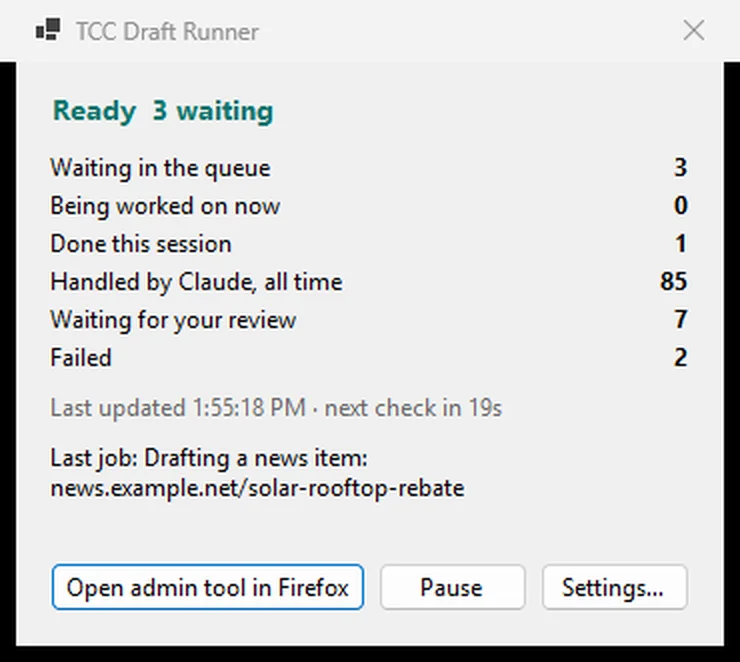
claude -pand sends the JSON answer back. - The tray icon colour shows ready, working, paused or unreachable. A status window shows queue counts and the last problem, with Pause and Settings.
- Each call runs from an empty temp folder with no tools, MCP servers or settings, so it sends about a thousand tokens of context rather than a whole session.
- Deliberately dumb: the Worker builds prompts and schemas and does all parsing and storage. The contract is five bearer-token routes (claim and submit for link jobs, claim and submit for social drafts, and a stats call), and the runner cannot approve, schedule or cancel anything. Link jobs are checked before social drafts.
- A claimed job is held for the runner for about five minutes. If claude fails or takes longer than three minutes, the runner reports the error and the Worker hands the attempt back and offers the job again after ten minutes.
- Optional by design. If the PC is off, the admin tool's Gemma fallback takes over after a hold: an hour for links found in Slack, 48 hours for social drafts (sooner if the post is due within three days). Links an editor adds are never held. Pausing costs delay and some draft quality.
- C# WinForms on .NET 10, one instance at a time, runs without admin rights and starts with Windows per user. Also scriptable with
--check,--onceand--configure.
Screenshot
The status window, run against a local stand-in for the admin tool with invented numbers and a placeholder for Claude.
Slack Helper (Firefox extension)
- Slack's invite API is not available on the organisation's plan, and a public invite link can be abused, so each invite is vetted by an admin.
- The toolbar badge counts new members still to be invited. The popup opens Slack's invite dialog and fills in the address; the admin presses Send.
- On Slack's confirmation it tells the website to label the member as invited. Skip labels them skipped, and a manual Mark invited covers a missed confirmation.
- Manifest V3. No URLs or keys are in the code; they are typed into the options page and stored in that profile only. Slack's selectors live in one file so a UI change is a one-file fix.
When last documented, the extension's Slack selectors had not been checked against a live admin session.