Music Cleaner
The tool I use to tidy new albums before they join the library: match each one to MusicBrainz, write a cleaned copy with consistent tags and good cover art, review it, then move it into the library.
What it does
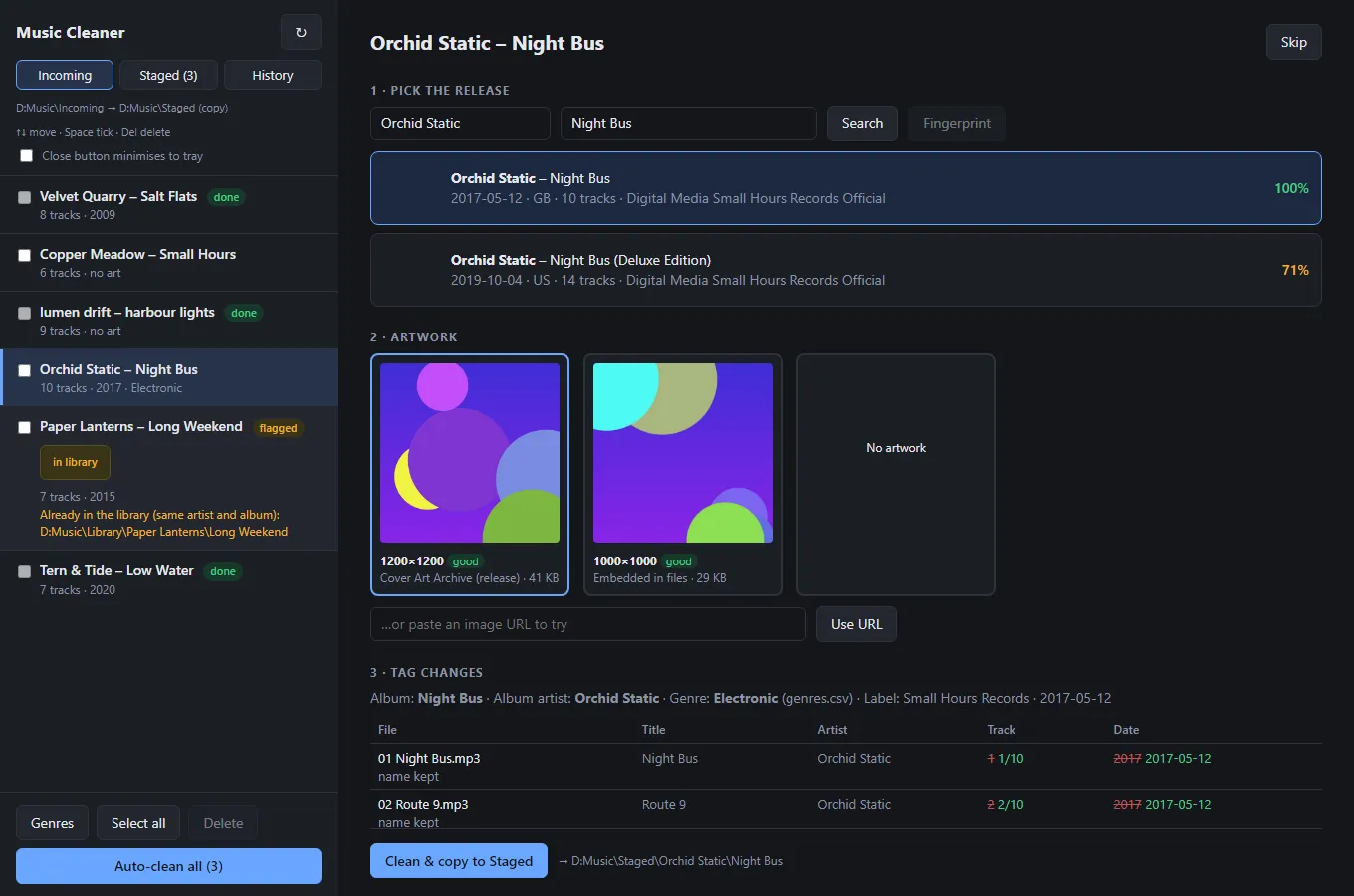
- Watches an Incoming folder for album folders, reads their current tags and parses folder names such as "[1999] Name" or "Artist - Album". A toast and a tray notification say when something new arrives.
- Searches MusicBrainz and scores candidate releases on album title, artist and track count. You pick the release, see artwork options and a before-and-after tag diff, then click Clean and copy. Auto-clean does the ones that match exactly and flags the rest, and an album already in the library is flagged rather than cleaned again.
- Writes a copy to a Staged folder, leaving the original alone, with MusicBrainz IDs, files named by track number (existing names and titles are kept when they only differ in case or punctuation) and the cover both embedded and saved as a file. MP3 files get ID3v2.4 tags. It refuses to write into a folder that already holds audio files.
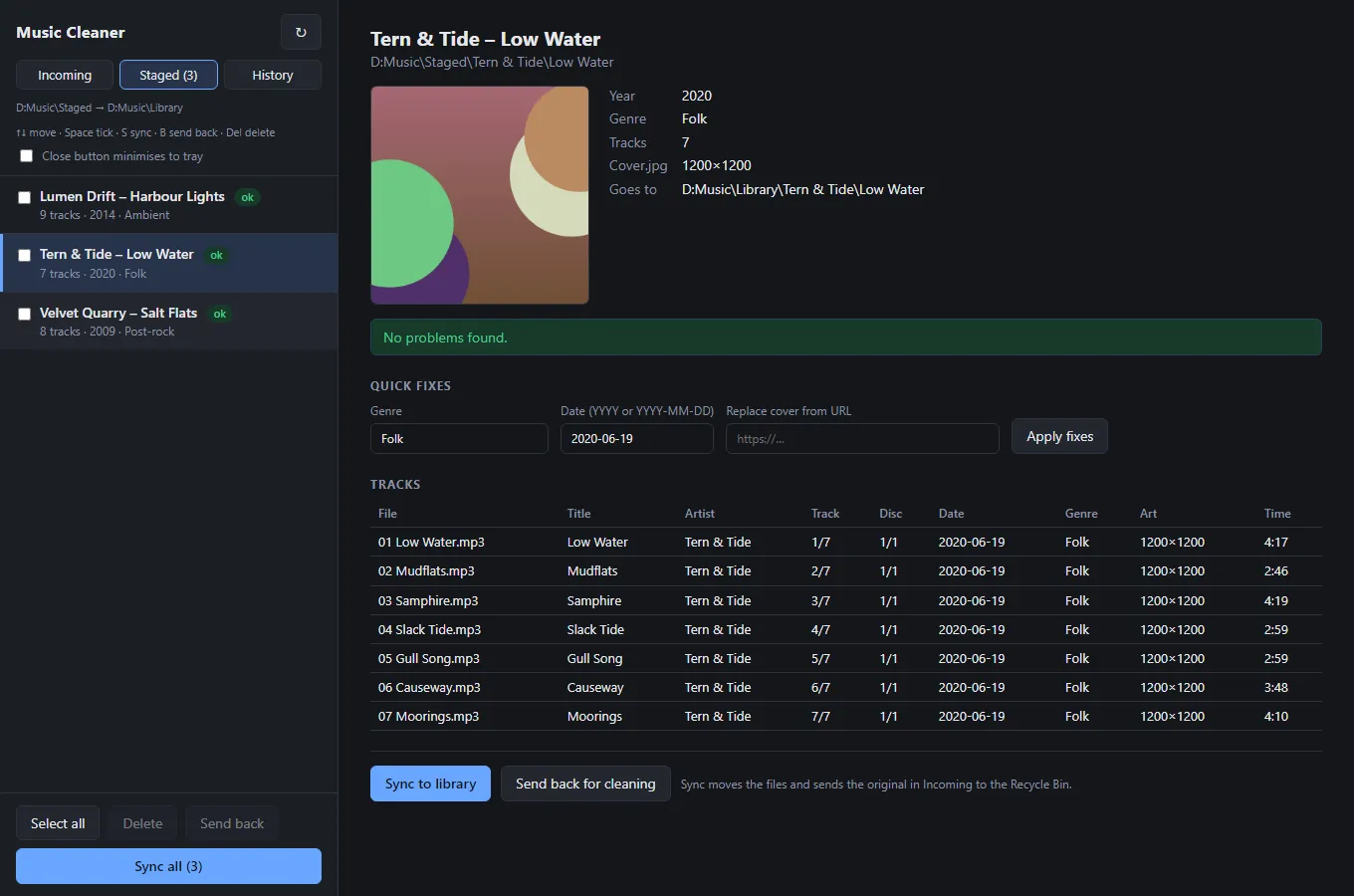
- A Staged review screen with quick fixes for genre, date and cover, sending an album back with a note, deleting, and syncing to the library. Syncing shows a preview first, builds the Artist and Album folders from the tags, moves the files and sends the original in Incoming to the Recycle Bin. Every action is logged on a History page, and a sync can be undone.
- Warns about partial albums, track titles that do not match the release and low-resolution art. Handles MP3, FLAC and M4A.
Under the hood
- Python with a FastAPI server and a static browser UI, wrapped in a desktop window with a tray icon using pywebview and pystray, and packaged with PyInstaller into an installed app.
- MusicBrainz requests are limited to one a second. Matching uses rapidfuzz, and cover art comes from the Cover Art Archive, embedded images, the folder or a URL, with the largest chosen and normalised to a JPEG capped at 1400 px and 800 KB, never upscaled.
- Optional AcoustID fingerprint matching and Discogs art are switched on by config keys. They have only been tested against mocked responses, not the live services.
- One tag interface covers MP3, FLAC and M4A through mutagen. Genres come from a per-artist CSV first, then MusicBrainz, and the CSV can be rebuilt from the genre tags already in the library.
- Tested with pytest, including browser tests that drive the real UI.
It works on files on disk and does not talk to the Space Station Worker. The screenshots show invented albums, run against stubbed MusicBrainz and cover art responses.