Roomba Hub
A replacement for the slow, cloud-bound iRobot app, for a Roomba j7. A hub talks to the robot directly over the local network using MQTT, and a .NET desktop app, an Android app and a small relay sit on top of it.
Screenshots
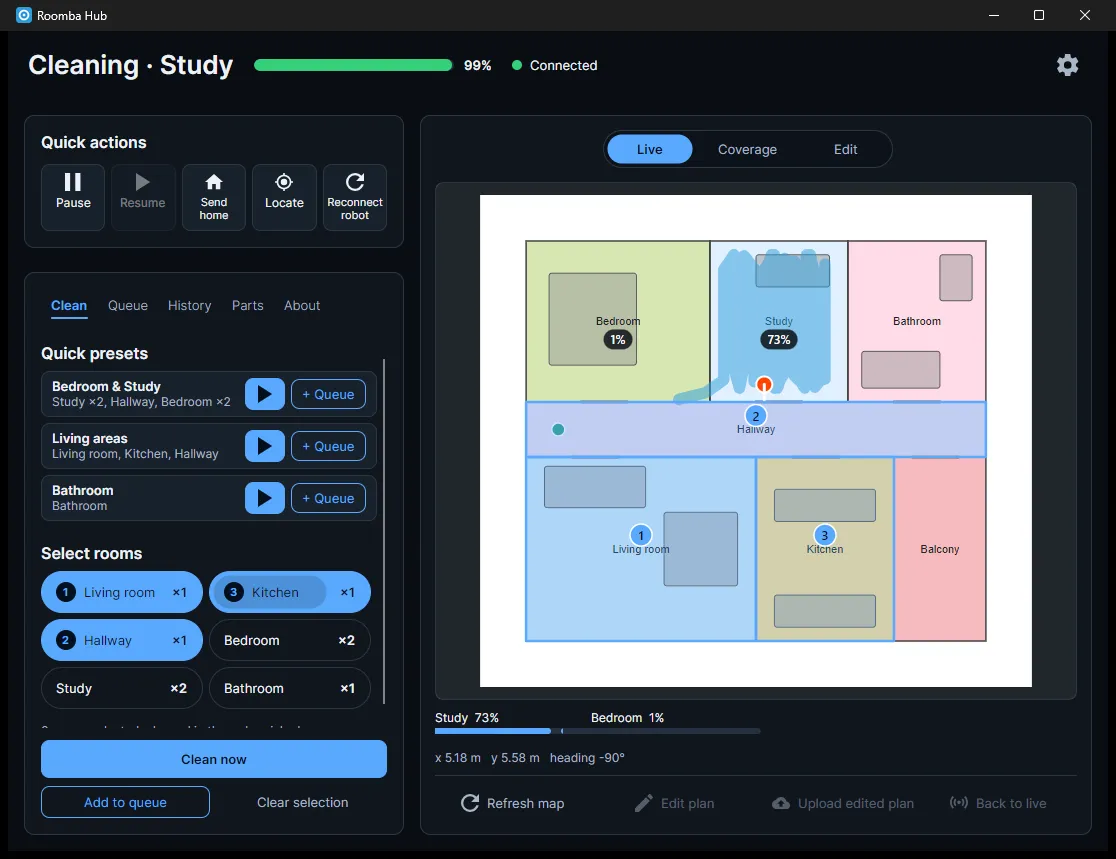
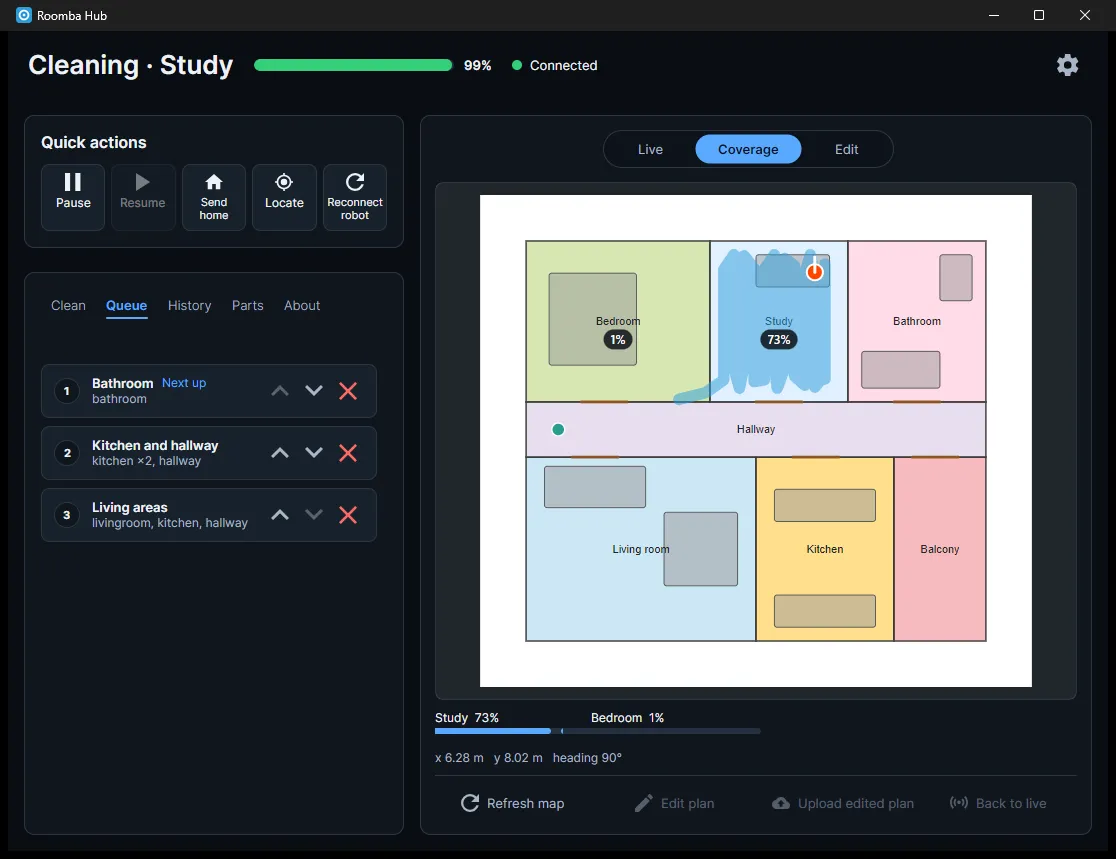
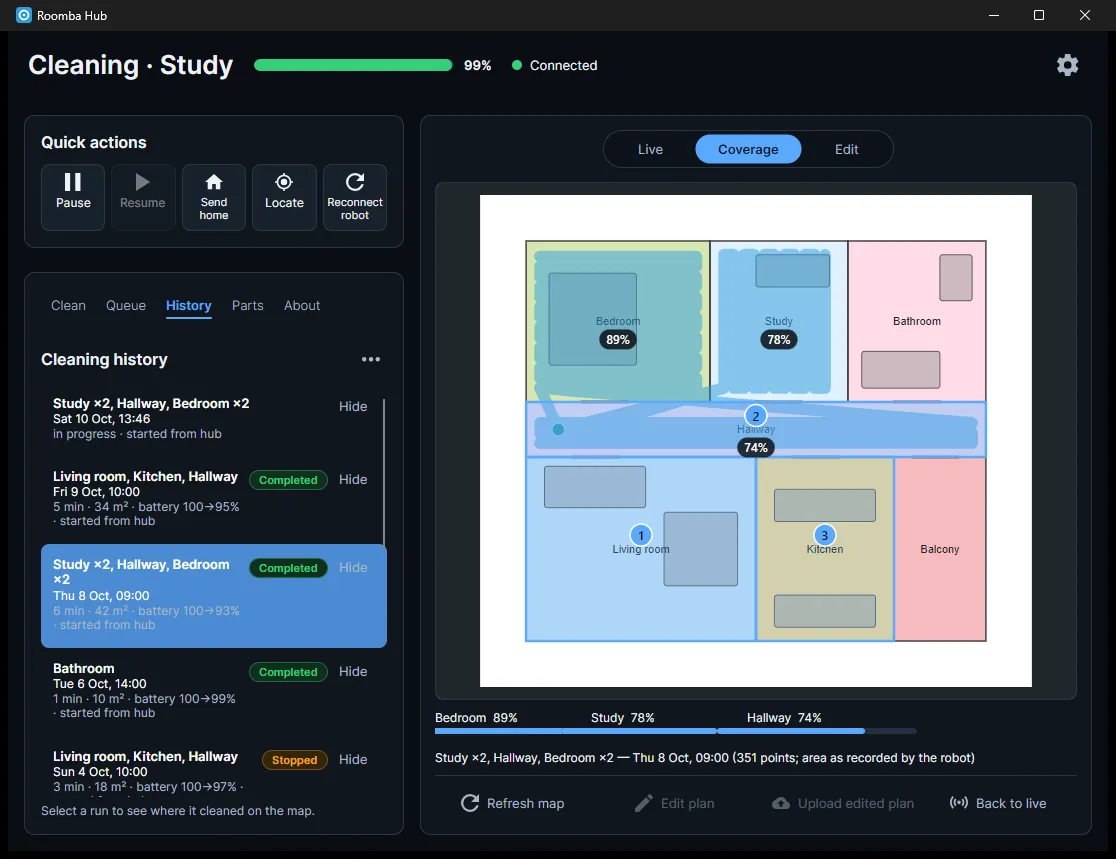
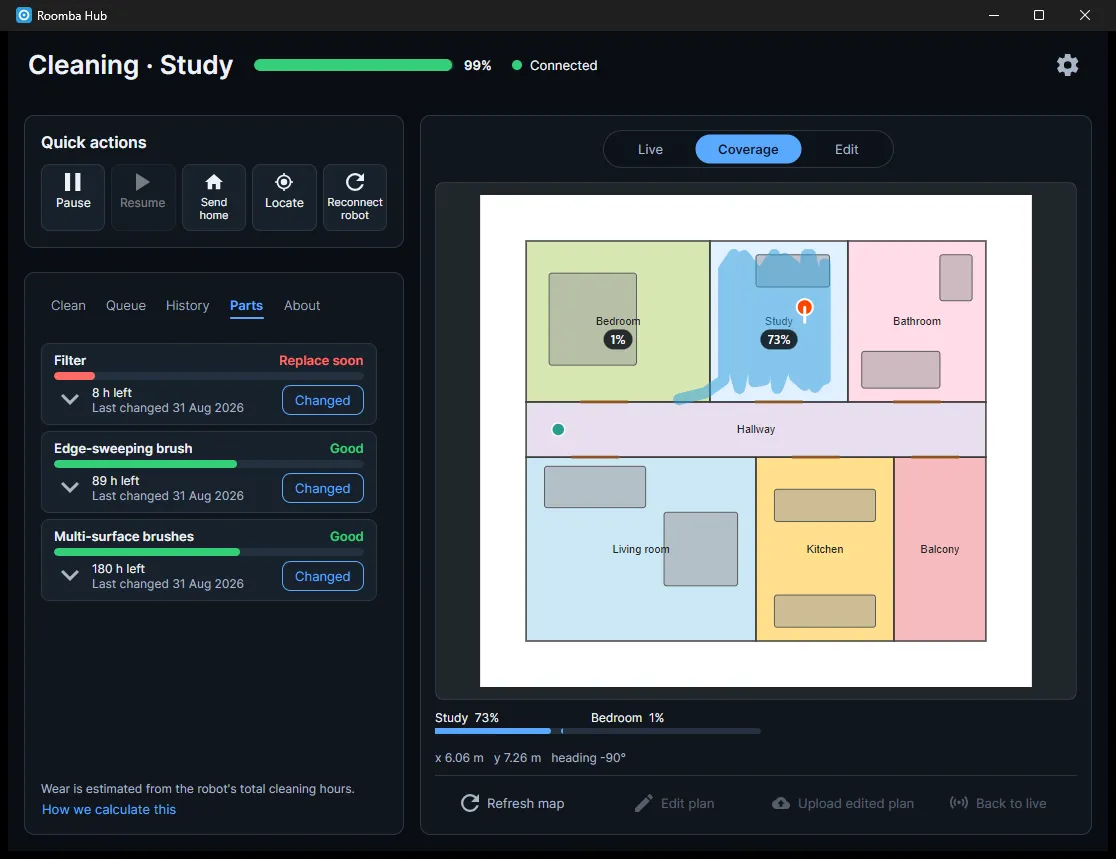
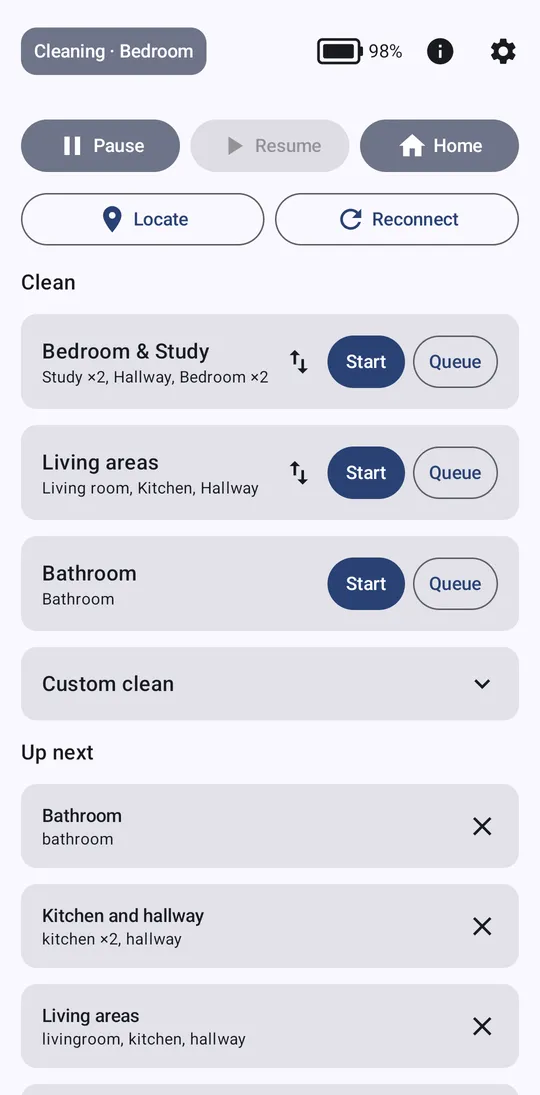
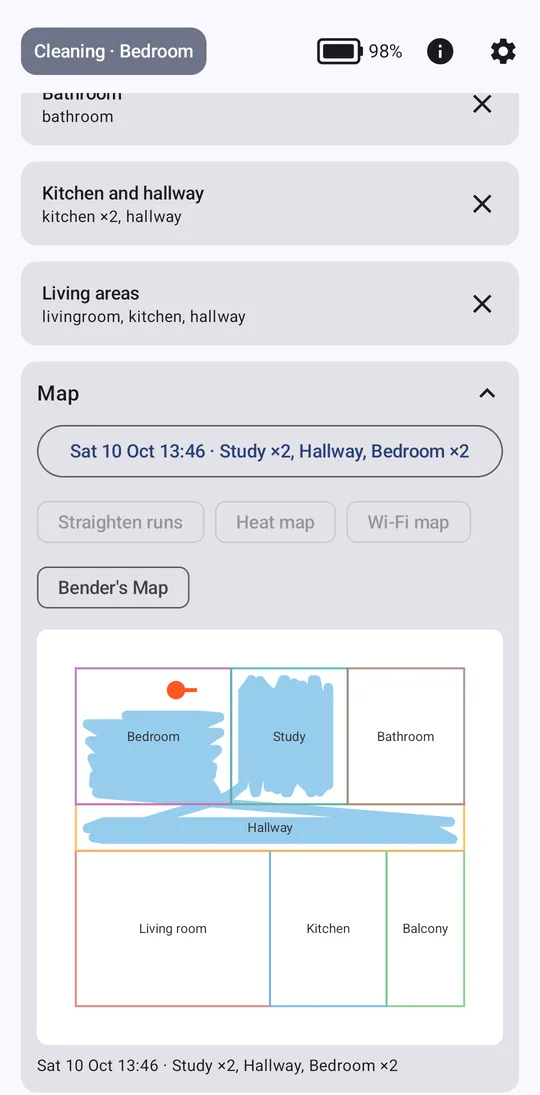
These were taken against a simulated robot and an invented floor plan, so the rooms, runs and numbers are made up. Click an image to enlarge it.
Desktop app (Avalonia)
Android app
What it does
- Shows what the robot is doing, its battery and connection, and raises alerts when a clean finishes or stops with a problem, the robot gets stuck, the bin fills, it enters a room marked never-clean, or a part is due.
- Starts cleans by preset or by picking rooms in order, with a number of passes each, or by clicking a room on the map. Jobs can be queued, and the next one starts when the robot is idle, charged enough and the bin is empty.
- Keeps a run history with the path and cleaned area of each run, and a coverage view with a percentage per room, plus heat maps for coverage and Wi-Fi signal strength built from the robot's own readings.
- Tracks the filter and brushes as bars that drain with the robot's cleaning hours, with a Changed button to reset each one.
- Draws a live floor plan as an editable SVG. The robot's own map is imported, then the plan can be redrawn in Inkscape over a background image; the hub validates the upload and keeps timestamped backups.
- Reaches the hub from outside the house through a relay, and falls back to a small Raspberry Pi standby service when the PC is off.
Under the hood
- The robot accepts only one local MQTT client, so the hub is that client. It speaks MQTT 3.1.1 over TLS on port 8883, reads the robot's shadow updates and sends commands on the
cmdtopic, through a reconnecting session with backoff. - C# on .NET 10 split into a protocol and storage core (MQTTnet, SQLite, Clipper2 for polygon work on the map), a hub library with an HTTP and server-sent events API, a headless service host for an always-on machine, and an Avalonia 12 desktop tray app. The desktop app can host the hub in-process or talk to a remote one.
- The map code handles room alignment, locating the robot in a room, keep-out detection, and the coverage and Wi-Fi heat maps. The tests use real messages captured from a robot.
- Cloud use is limited and optional. The iRobot cloud is read only, to import the robot's map and past runs. Control is entirely local.
- The relay is a Cloudflare Worker with a Durable Object. The hub dials out to it over a WebSocket so nothing is opened on the router. It caches the last state and passes on a short allow-list of commands. The same allow-list is enforced again in the hub, and both copies are tested against one table. Commands are rate limited, and starting a clean remotely can be switched off.
- The Android app is Kotlin and Jetpack Compose. It tries the hub on the home network first, with a short timeout, then the relay. Alerts arrive as Firebase Cloud Messaging pushes from the relay, so the app needs no background connection.
- The Pi standby is a small Python service that polls the hub's health endpoint. After a run of failures it connects to the robot and relay itself, and drops them again on the first good check, so the two never hold the robot at once.
- The hub copies its database, presets and floor plan into a daily zip in a folder of your choice.
Raspberry Pi standby
The PC hub is only there while the PC is on. A small Python service on an always-on Raspberry Pi covers the gaps, so the apps still show status, get alerts and can start, pause, dock or find the robot.
- While the PC hub is up the Pi does nothing: it polls the hub's health address every few seconds and holds neither the robot nor the relay.
- After about 30 seconds of failed checks (configurable) it connects to the robot over local MQTT and then to the relay, using the same relay protocol as the hub.
- One good health check is enough for it to let go of both, and the PC hub's own reconnect picks the robot up again. The robot accepts only one local client, so the two never hold it together. If the relay reports that a newer hub connection replaced it, the Pi stands down and needs fresh failed checks before trying again.
- It reports live status and alerts (error, stuck, bin full), so push notifications keep working, and it accepts pause, resume, dock, find, presets and custom cleans with the same busy and bin-full checks as the hub.
- It does not do the map, room tracking, coverage, history, parts or the queue, and it stores nothing. Runs made while the PC is off are missing from the PC hub's history.
Cloudflare relay
The relay lets the apps reach the hub from outside the house without opening anything on the router.
- The hub (or the Pi standby) dials out to a Cloudflare Worker over a WebSocket. A single Durable Object holds that connection, keeps the last state the hub reported (status, presets, rooms, queue, alerts) and answers from that cache, so the apps get an answer even when the hub is briefly offline, with a note of when it was last seen.
- The apps call the same
/apipaths as on the home network, with their own key. A separate secret proves the hub is the hub. The Worker passes commands down the socket only if they are on a short allow-list (pause, resume, dock, find, start, queue and custom clean); the hub checks the same list again, and both copies are tested against one table. Commands are limited to 30 a minute, and starting a clean remotely can be switched off. - The relay also tells an app the hub's home-network address, so the app tries home first (about 0.8 seconds) and uses the relay only when that fails.
- Alerts: when the hub reports one, the Durable Object sends a Firebase Cloud Messaging push to the registered phones (a handful at most), so the app needs no background connection. Pushing is off if no Firebase key is set.
A personal project, not affiliated with iRobot. Connection details and the real floor plan are not published; the screenshots use an invented plan and a simulated robot.